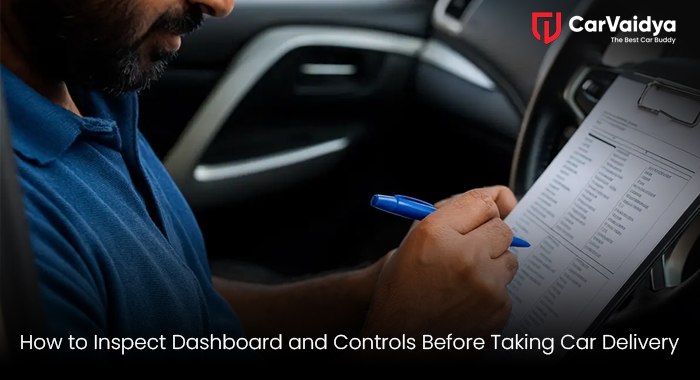
Picking up your brand new (or new-to-you) car is one of life’s little thrills. That new car smell, the shiny paint—it’s exciting! But don't let the excitement rush you. Before you sign the final papers and drive off the lot, you must perform a thorough pre-delivery inspection (PDI). While the exterior and engine bay get a lot of attention, the car dashboard check and a complete car control test are arguably the most critical parts of your inspection. This is where you interact with the car every single day. A small oversight here can lead to frustrating, expensive, or even dangerous issues down the road.
Step 1: The Initial Visual Car Dashboard Check
Before you even turn the key, get inside and sit down. This is your cockpit. Look around.
- Dash Aesthetics and Finish: Run your hand across the dashboard top. Are there any scratches, scuff marks, or loose trim pieces? Check the fit and finish of the panel gaps where the dashboard meets the doors or the center console. In a new car, everything should look pristine and tight. If you see a ripple or a loose section, flag it.
- Instrument Cluster Clarity: Look at the speedometer, tachometer, and other gauges (digital or analog). Are they clear? Is the screen bright? Check for any dust or condensation behind the glass or plastic cover.
- Warning Lights Check: When you turn the ignition to the "ON" position (without starting the engine), most warning lights (Airbag, ABS, Engine, Battery, etc.) should light up and then go out. If any light stays on, stop. This is a major fault, and you should demand an explanation and resolution before taking delivery.
- Storage Compartments: Open and close the glove box. Does it latch securely? Check any small cubby holes or console bins. Make sure the lining is intact and the hinges operate smoothly.
Step 2: The Essential Car Control Test (The Basics)
Now we move to the interactive part. This car control test ensures every physical control you touch operates correctly and comfortably.
- Steering Wheel Controls: Test every button on the steering wheel: volume up/down, cruise control settings, voice commands, and track skip. Make sure they all respond immediately. Don't just press them; ensure they actually change the setting on the display.
- Indicator Stalks: Flip the turn signal stalk up and down. Listen for the clicking sound. Check the high beams and the passing flash function. Wiggle the stalk a little—it should feel solid, not flimsy.
- Wiper and Washer System: Activate the front and rear wipers (if applicable) at all speeds (intermittent, low, high). Spray the washer fluid. Make sure the nozzles spray effectively onto the windshield and the wipers clean the glass without streaking or chattering. You need this working perfectly for safety.
- Horn: Give a quick toot. It’s an essential safety feature, and it needs to be loud and clear.
Step 3: Comprehensive New Car Feature Inspection (The Tech Check)
Modern cars are packed with technology. Your new car feature inspection must dive deep into the infotainment and climate systems.
Infotainment System (The Screen)
- Touch Responsiveness: Navigate through the menus. Does the screen respond quickly, or is there a noticeable lag?
- Connectivity: Connect your phone via Bluetooth. Try making a call and playing music. If you plan to use Apple CarPlay or Android Auto, plug your phone in and confirm the interface launches correctly.
- Navigation Test: If it has built-in GPS, input an address (even the dealership's) and start the route. Verify the map loads and the voice directions are clear.
- Camera Systems: Put the car in reverse and check the clarity of the rear-view camera. Cycle through any 360-degree or auxiliary camera views. Crucially, make sure the guide lines are accurate.
Climate Control
- Heating and Cooling: Turn the A/C to the coldest setting (LO) and the fan to max. Feel the air coming out—it should be cold, fast. Then switch to the hottest setting (HI). The air should quickly become very warm. Test all the vents (face, feet, defrost) to ensure the airflow changes as directed.
- Recirculation Button: Press the recirculation button and listen for the change in fan sound.
- Seat Controls: Test all power adjustments—forward, back, up, down, recline, lumbar support. If you have heated or ventilated seats, turn them on and let them run for a few minutes to ensure they heat/cool properly.
Step 4: Don't Forget the Pedals and Gear Selector
Even these basic controls need checking.
- Brakes: With the engine running, put slight pressure on the brake pedal. It should feel firm, not spongy or soft. Release the parking brake (electronic or mechanical) and re-engage it.
- Throttle: Gently press the accelerator. It should be smooth, with no sticking or grating feeling.
- Transmission/Gear Selector: Slowly shift the transmission through all positions (P, R, N, D, L/S/M). For an automatic, ensure it locks correctly into Park. For a manual, briefly press the clutch—it shouldn’t feel too loose or too stiff.
Taking Control of Your Delivery
A good dealer will welcome this scrutiny; it shows you are a serious buyer who cares about your investment. If you find a minor cosmetic issue, insist on a "We Owe You" note, detailing the specific repair they promise to make. For major functional faults (like a warning light), do not take the car until it is fixed.
Your new car experience should be flawless from day one. By following this detailed guide, you ensure the most important part of the car—the controls and dashboard—are in perfect working order. If you ever have a technical question or need expert pre-purchase advice, remember that a service like CarVaidya can provide that vital second opinion, ensuring peace of mind. Take your time, inspect everything, and enjoy the ride
You can read some other articles
 By CarVaidya





0 Comments